
 Zenara Jaya
Healthcare · Live
SARA Elderly Care apps
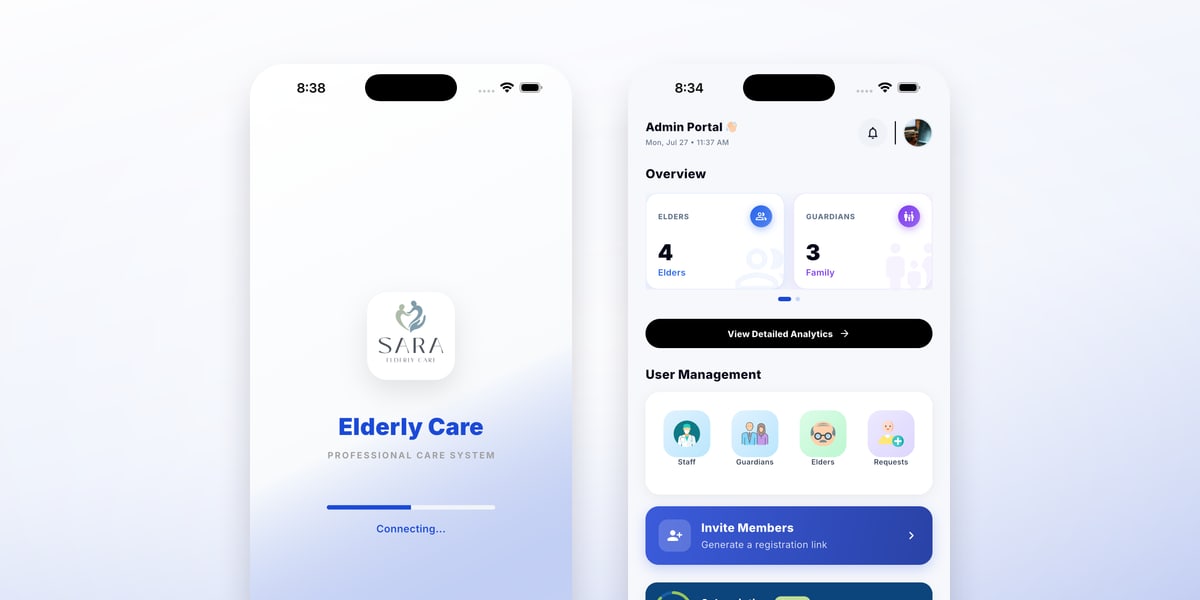
Care management apps for Android and iPhone, with a back office.
- Industry
- Healthcare
- Status
- Live
- Kind
- Mobile app
- Our part
- Designed and built end to end
A care home's daily record — medication, vitals, rounds, rosters and billing — with the family given a window into it.
The problem
A care home runs on information that never sits in one place. A medication given at eight, a blood pressure taken at noon, a shift swapped at short notice and an invoice raised at month end are each written down by a different person, in a different book, and reconciled later or not at all.
Families are outside all of it. The only way to find out how a parent’s day went is to ring the home and ask whoever picks up.
What we built
- The care record — residents, vitals, medication rounds, daily notes and doctor visits, entered by the nurse who did the work and visible to the doctor and supervisor who need it.
- A family portal inside the same app — a guardian signs in and sees only their own resident — the day’s care timeline, photos the staff chose to share, upcoming appointments and outstanding invoices.
- The back office — staff rostering, inventory, invoicing and payment collection, so the home is not running its operations in a spreadsheet alongside the system meant to replace it.
Details worth noting
- One app, five roles — administrator, doctor, nurse, supervisor and guardian sign into the same build and each get only what their role covers.
- Photos meant for families pass an approval step first; nothing reaches a guardian’s phone until someone senior has released it.
- Shift and appointment reminders arrive as push notifications an hour ahead, and are re-sent rather than dropped if the server restarted at the wrong moment.
- Staff are onboarded by invitation — an administrator creates the account, the person sets their own password from an emailed link, and nobody else ever handles it.
- Invoices, receipts and the payment QR live in the app, so a family can pay and upload proof without leaving it.
- Published on Google Play and the App Store, from one Flutter codebase.